
HockeySense
A game changer for your stats.
You are standing up in a cold rink with your eyes on the ice, not on the phone. So the buttons are big, every tap answers with its own haptic, and the last one can be undone. It counts the way a scoresheet counts: a goal is also a goal he was on the ice for, and a power-play goal never moves plus/minus. Those two rules are easy to get wrong by hand, and they are most of what decides whether a season of numbers is worth keeping.
What you’re doing in the stands
Six counters, sized for gloves
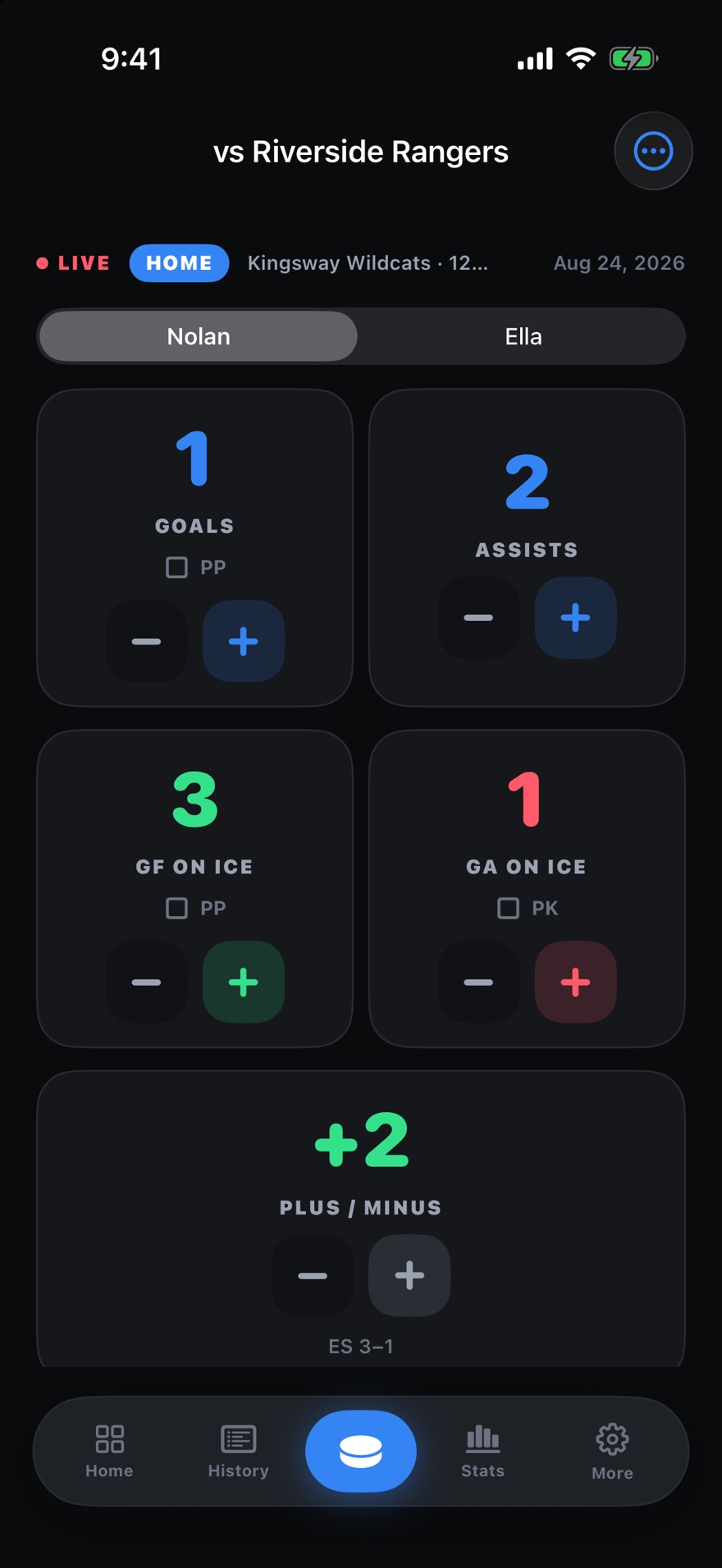
Goals, assists, goals for and against while he was on the ice, shots, and a plus/minus you can correct by hand. The buttons are bigger than the minimum and sit further apart than they need to, because a mis-tap in the second period is a wrong number somebody has to go looking for in March. Undo takes the last entry back exactly, including the power-play half of it that a minus button would leave behind.
A goal is one tap, not two
If he scored or assisted, he was on the ice for that goal, so the app counts that too and you tap once. Power-play goals stay out of plus/minus on both sides, which is what the statistic means rather than a shortcut. Under the running total it shows you the arithmetic: even strength, power play, and any adjustment you made yourself.
Both your kids, or the whole bench
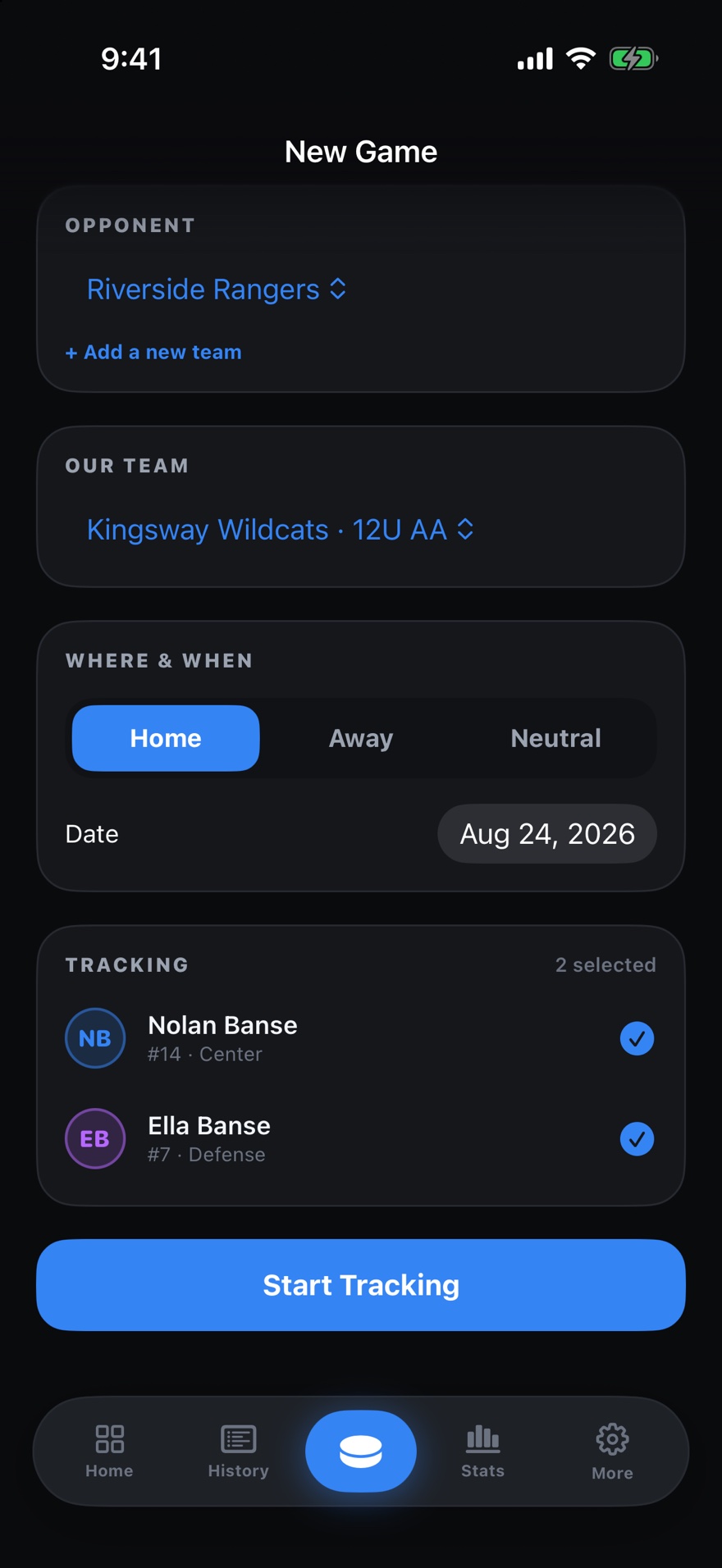
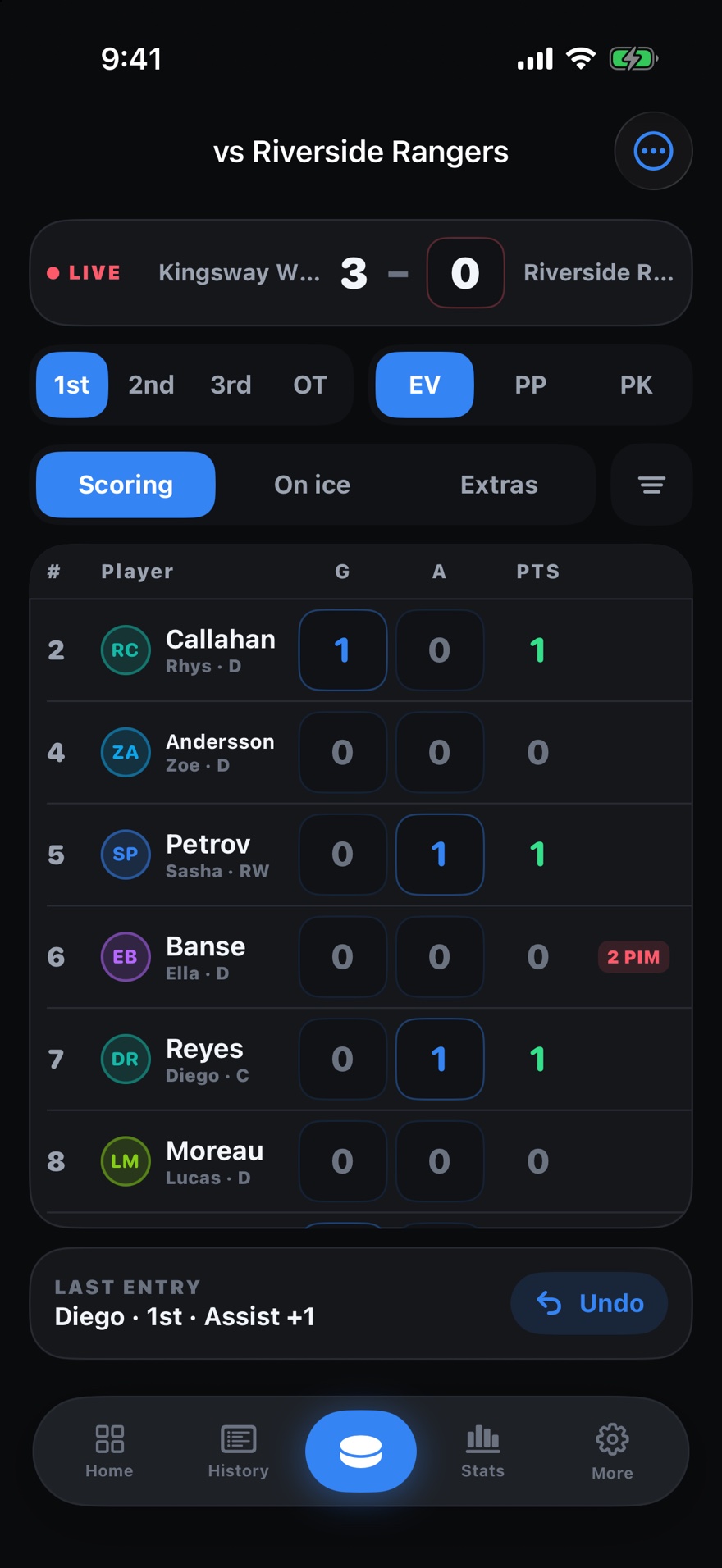
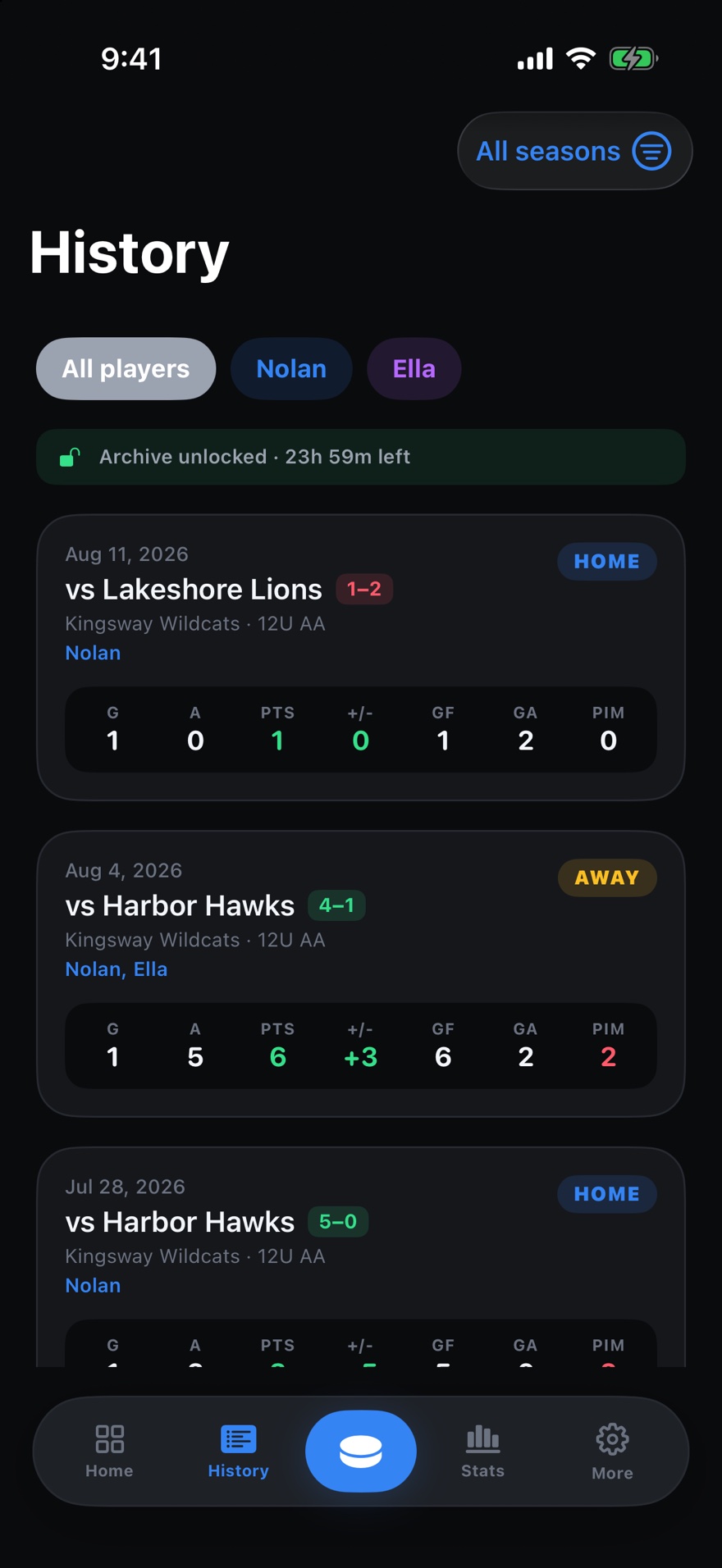
Two siblings on one team get a line each in the same game, and you switch between them without leaving the screen. The free version tracks up to three players. Pro turns the live screen into the roster itself: one row per player, the stat cells are the buttons, and a goal with two assists is three taps in three rows.
Your records, and a way out of them
Every tap is written to the phone first, so a rink with no signal changes nothing. Sync goes through your own iCloud to the family’s other devices, with no account to make and nothing of ours in the middle. The whole database also exports as one JSON file, because years of a child’s hockey should be something you can pick up and take with you.
Penalties, with the time on the clock
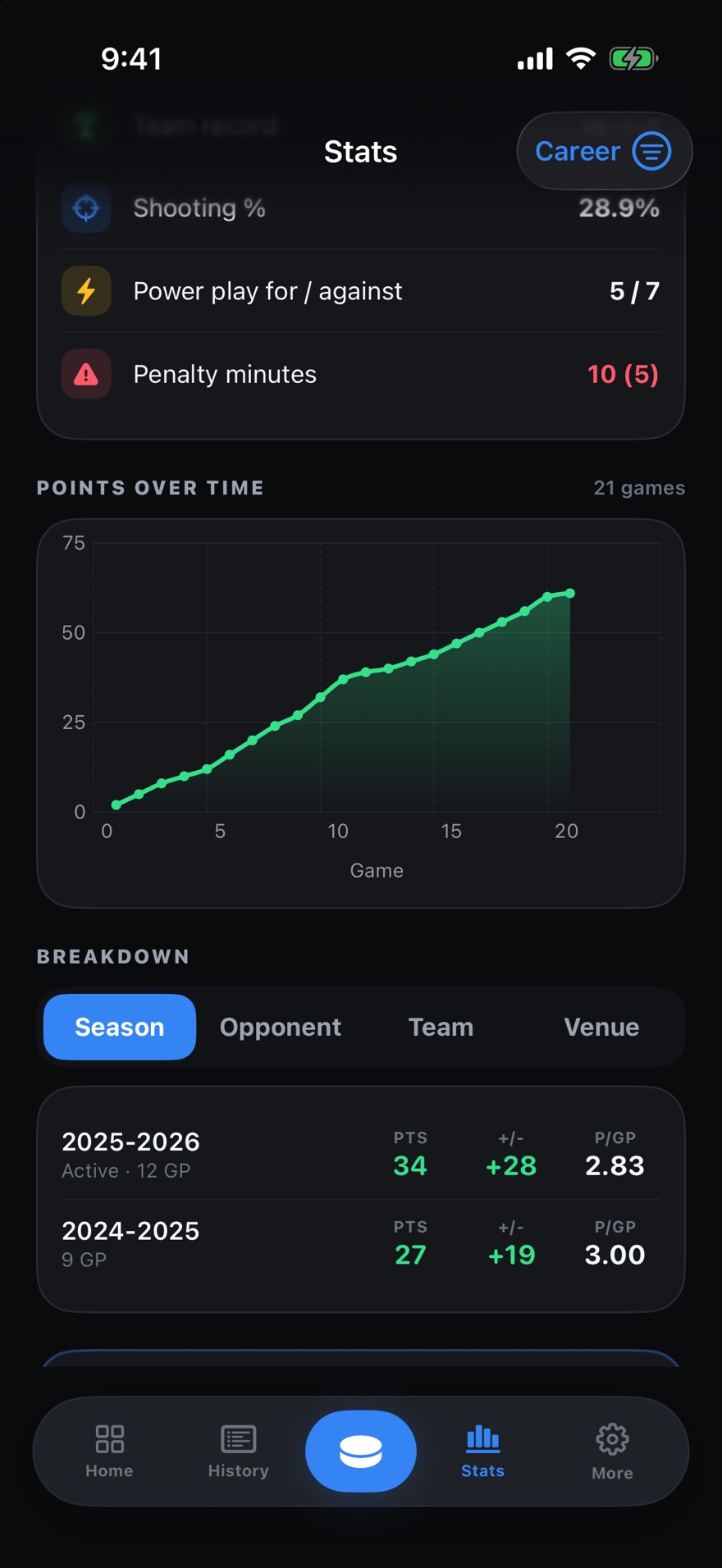
Pick the infraction and the minutes fill themselves in, five for a major and ten for a misconduct. Add the period, and the clock time if you caught it. Each player’s penalties sit behind the badge on their row, and any one of them comes off again in a tap.
What the season adds up to
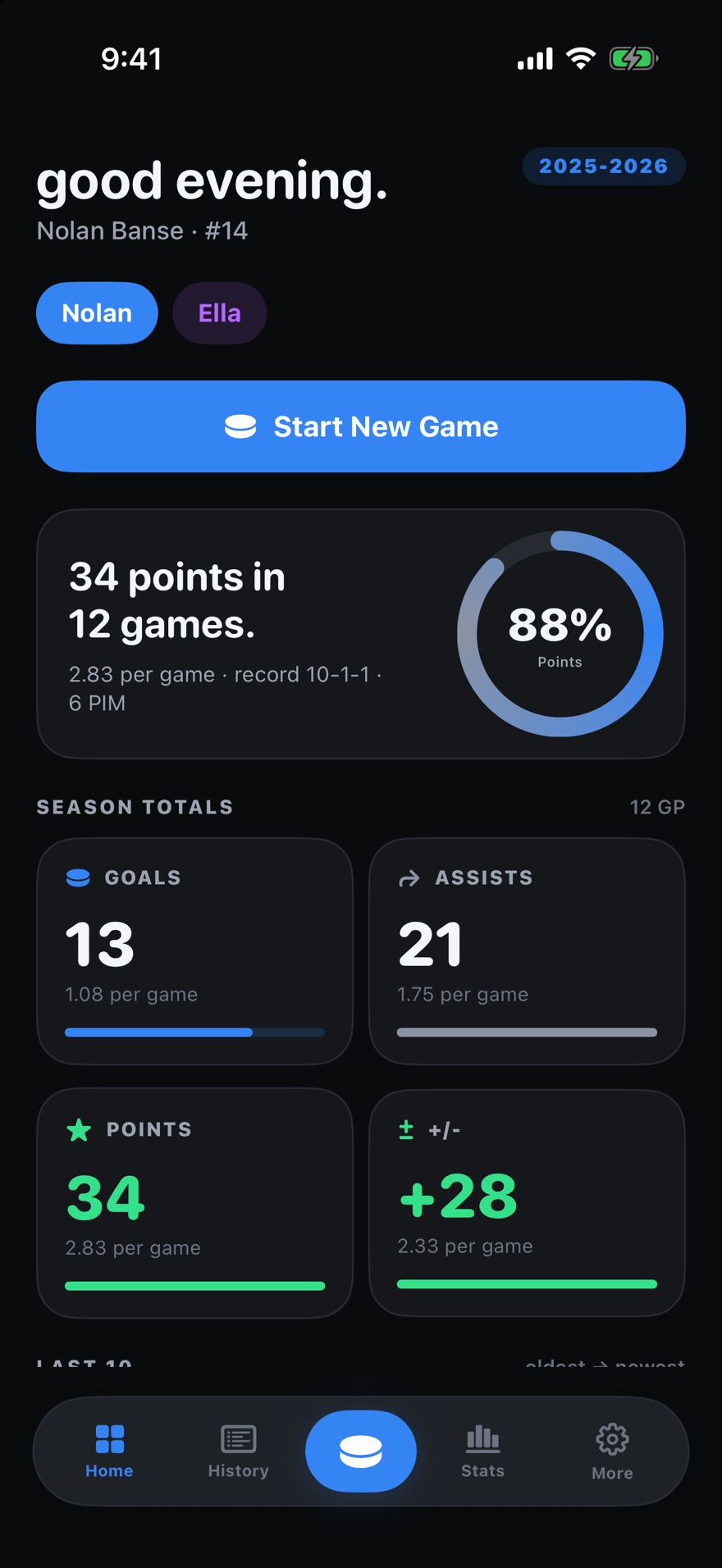
Totals for one player or the whole squad, points over time, and splits by season, opponent, team or home and away. Pro ranks the roster in a table you can sort by any column. Where nobody swept the on-ice columns it prints a dash rather than a zero, because those are two different facts and only one of them is true.
- Platform
- iPhone and iPad
- Requires
- iOS 18 or later
- Price
- Free, with an optional Pro upgrade
- Pro
- $24.99/yr or $3.99/mo, both with a 7-day free trial, or $69.99 once. Prices in CAD
- Players
- Up to three tracked at once, or a full roster with Pro
- Sync
- Your own private iCloud, across your own devices
- Offline
- Everything works with no connection and no account
- Ads
- One rewarded video you choose to watch, and one after a saved game. Never while tracking. None at all with Pro
- Backup
- Export the whole database as a single JSON file