Casual Caddie
A little help for the course and card.
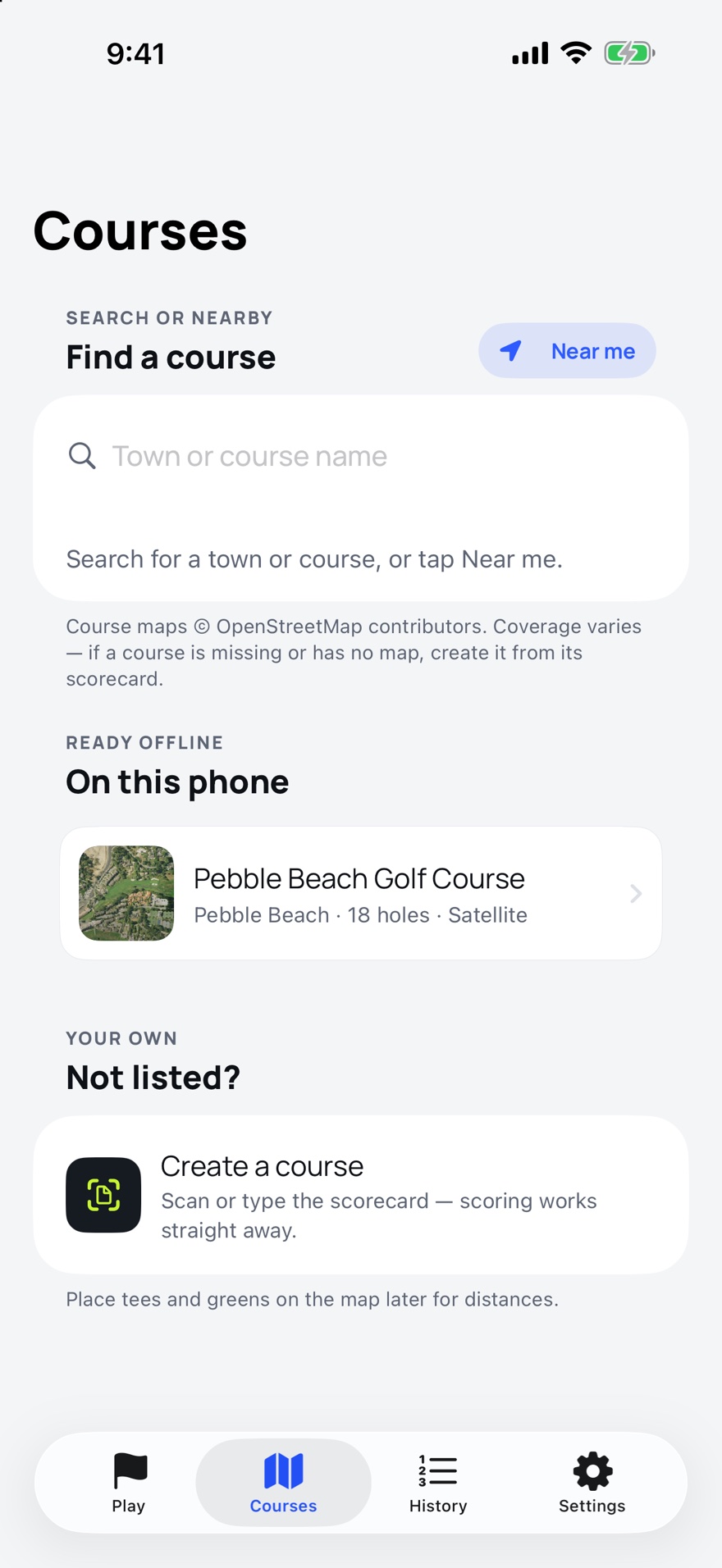
Knowing how far it is to the green should not cost a subscription, and here it doesn't. Find your course and it saves every hole to the phone: the greens, the bunkers, the water, and an aerial photo where a free one exists. From then on the course is local and the distances come from GPS, so the back nine in a dead zone is the same as the front nine by the clubhouse. It keeps the card for up to four of you, on the phone or on your wrist, and when the round is over it is still yours to look back on.
What it does between the first tee and the eighteenth green
Front, middle and back
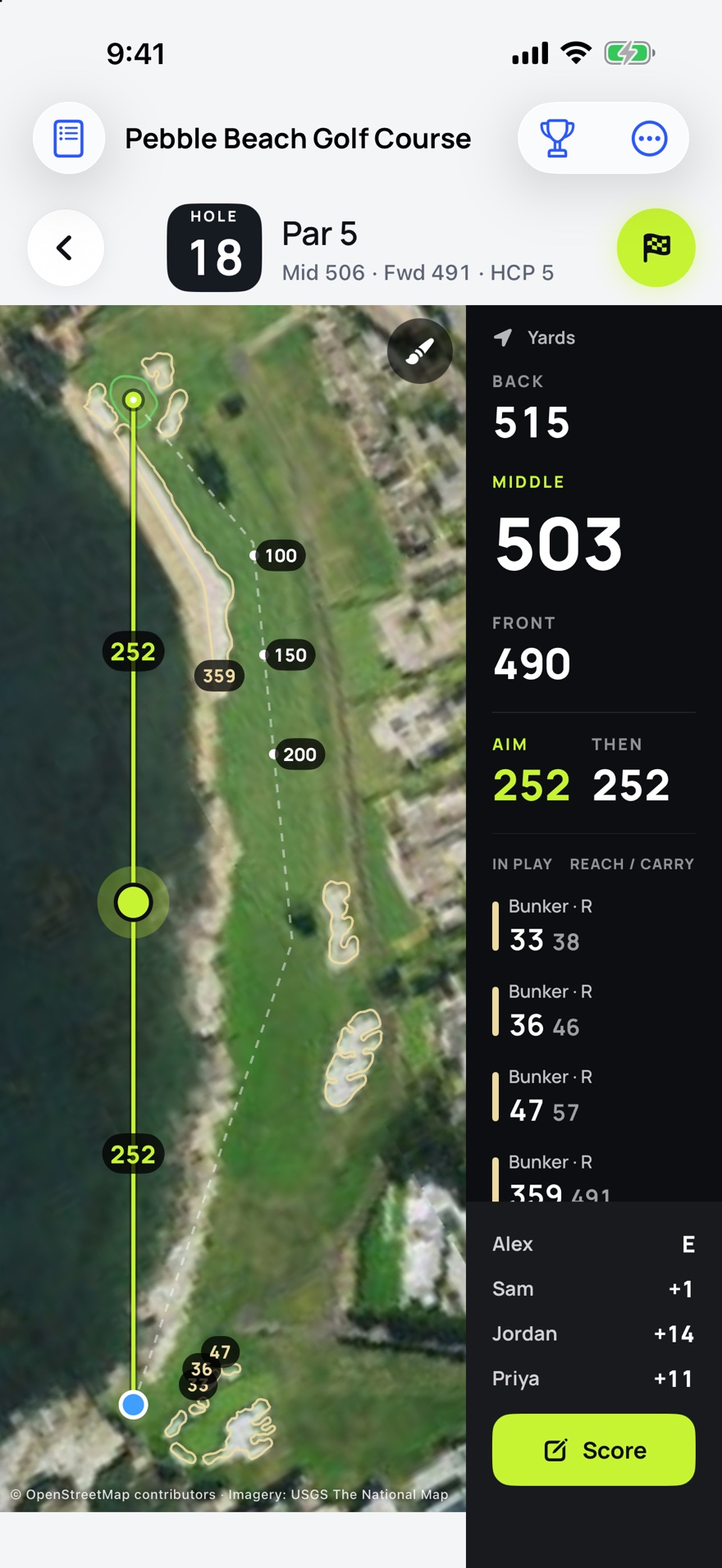
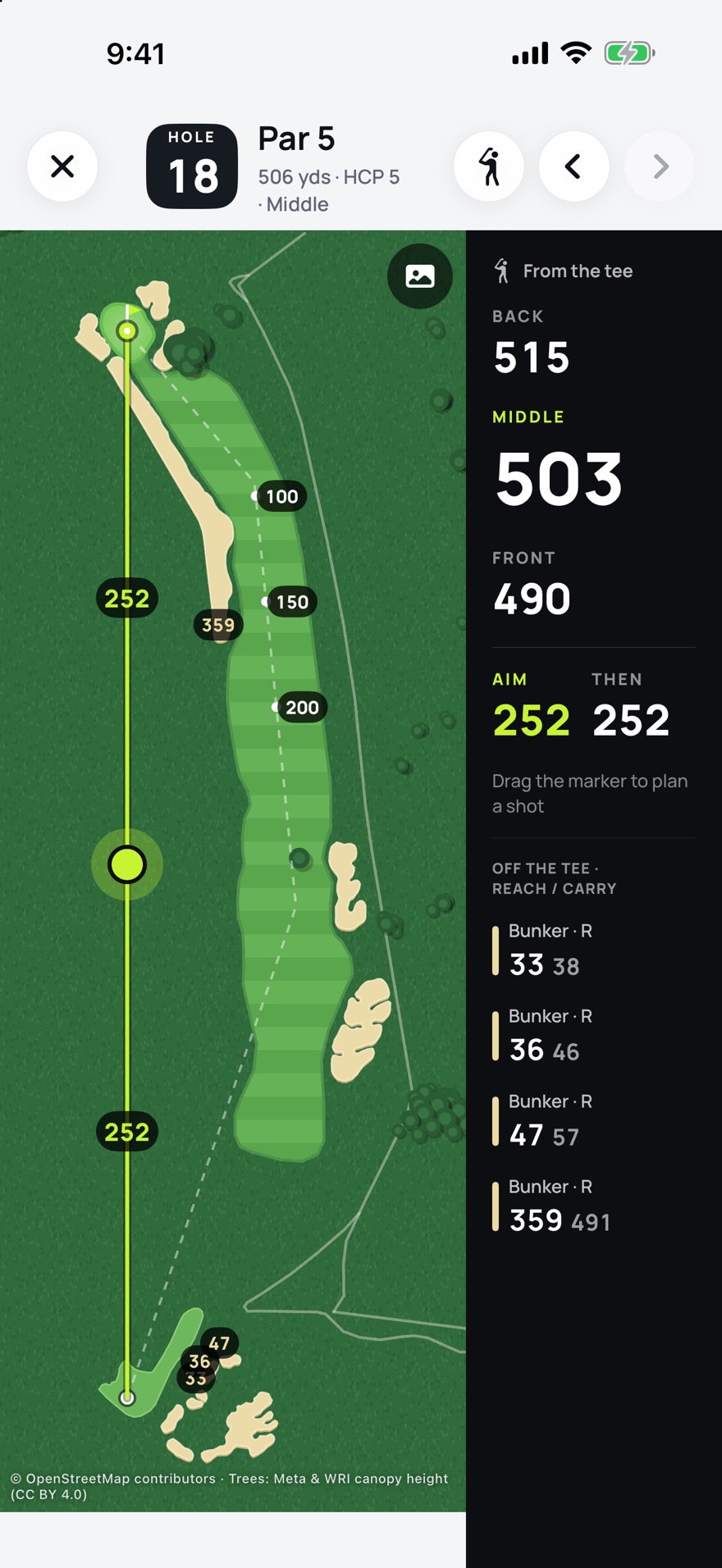
The distances down the right-hand side are to the front, middle and back of the green, measured from where you are standing, and the middle one is the big one. Underneath is every bunker and water hazard on the hole with two numbers: what it takes to reach it and what it takes to carry it. Stand on the tee and the list is what is in play off the tee; walk up the fairway and the ones behind you drop off.
Drag the marker to plan the shot
A line runs from you to the green with a dot on it. Drag the dot to where you want the ball to finish and it shows two numbers: how far that is from you, and how far is left from there to the green. If you are deciding whether to lay up, you can see both before you pull a club. Pinch the map to look closer, and tap the button in the corner to put it back.
The course lives on your phone
Downloading a course saves it to the phone, on Wi-Fi or mobile data, wherever you happen to be. After that, playing it doesn't need the internet. Where there is no aerial photo, the hole is drawn instead, with its fairways, bunkers, water and trees.
A card that looks like a card
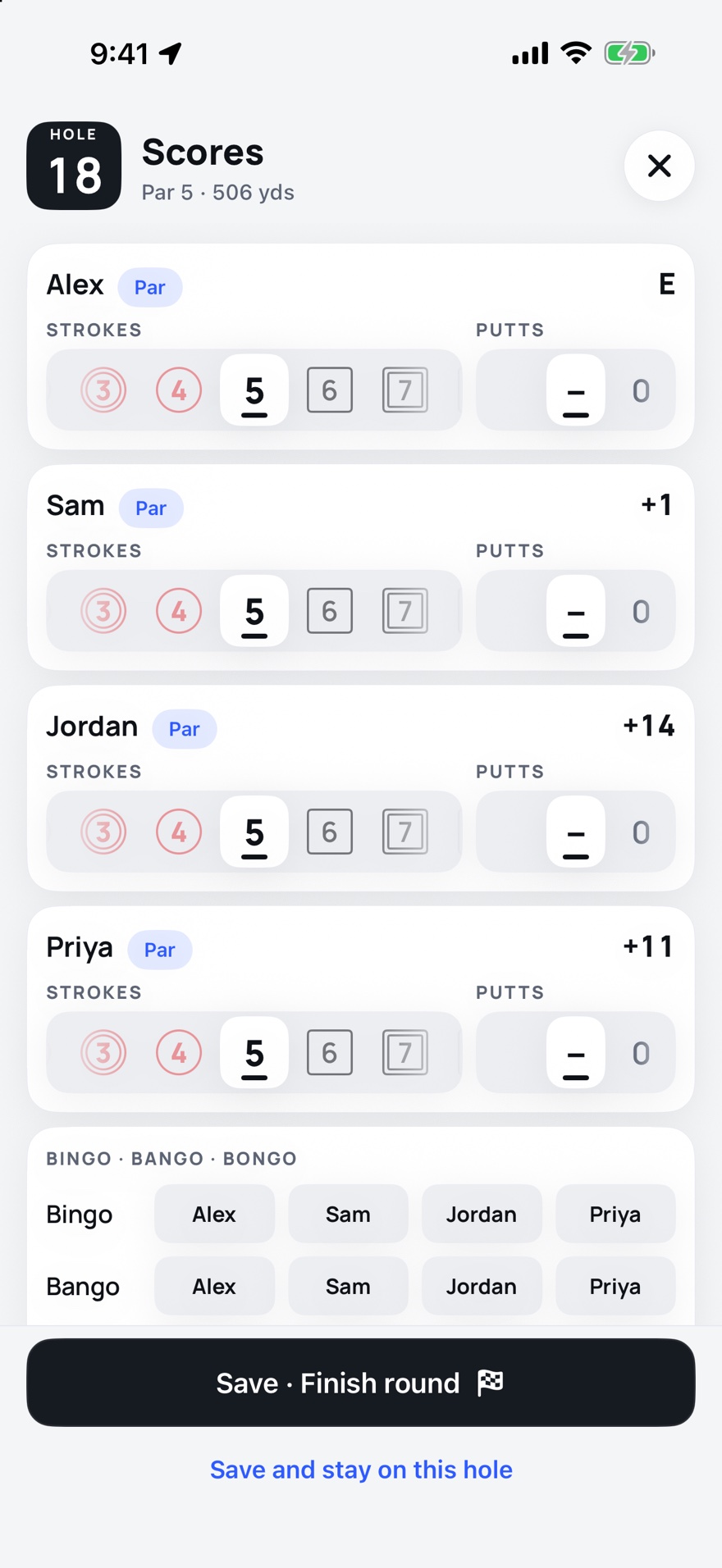
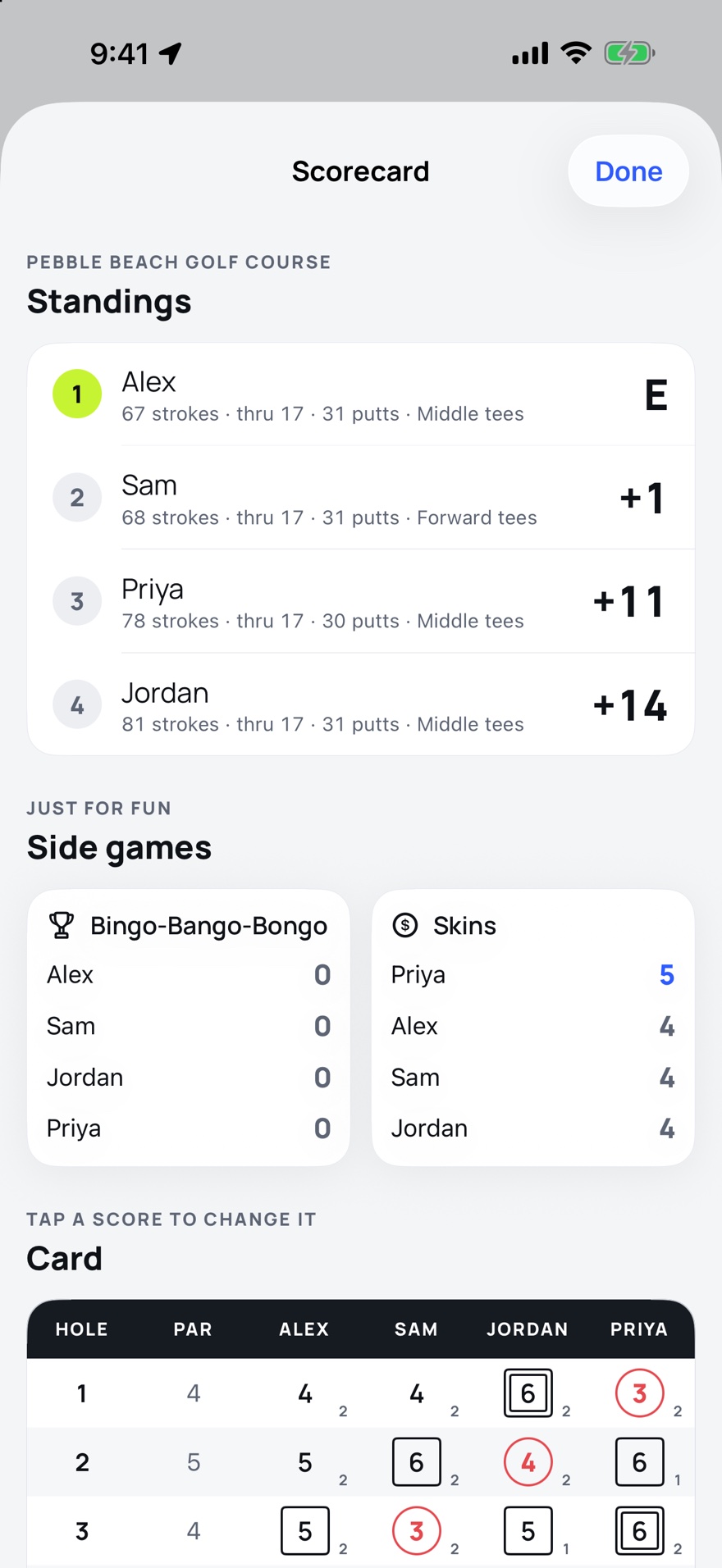
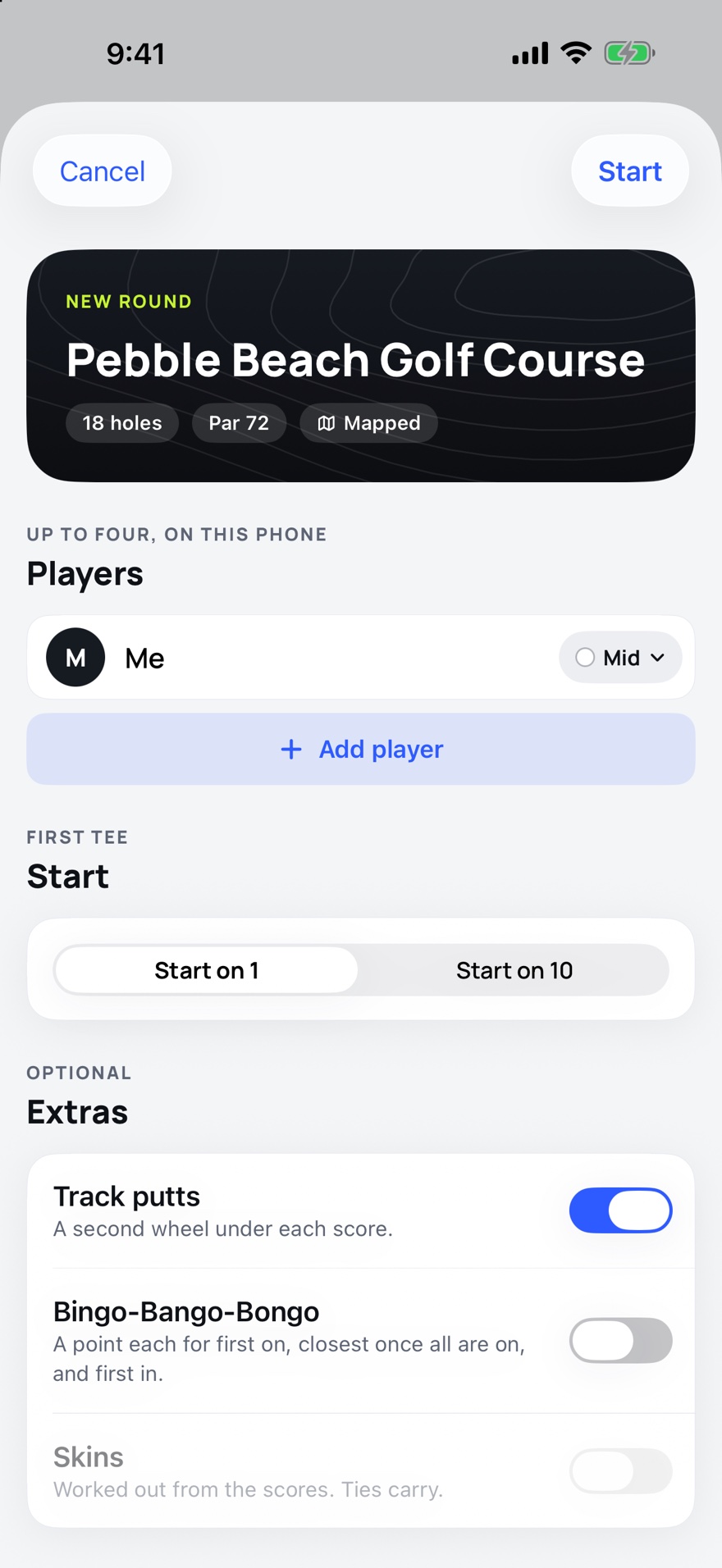
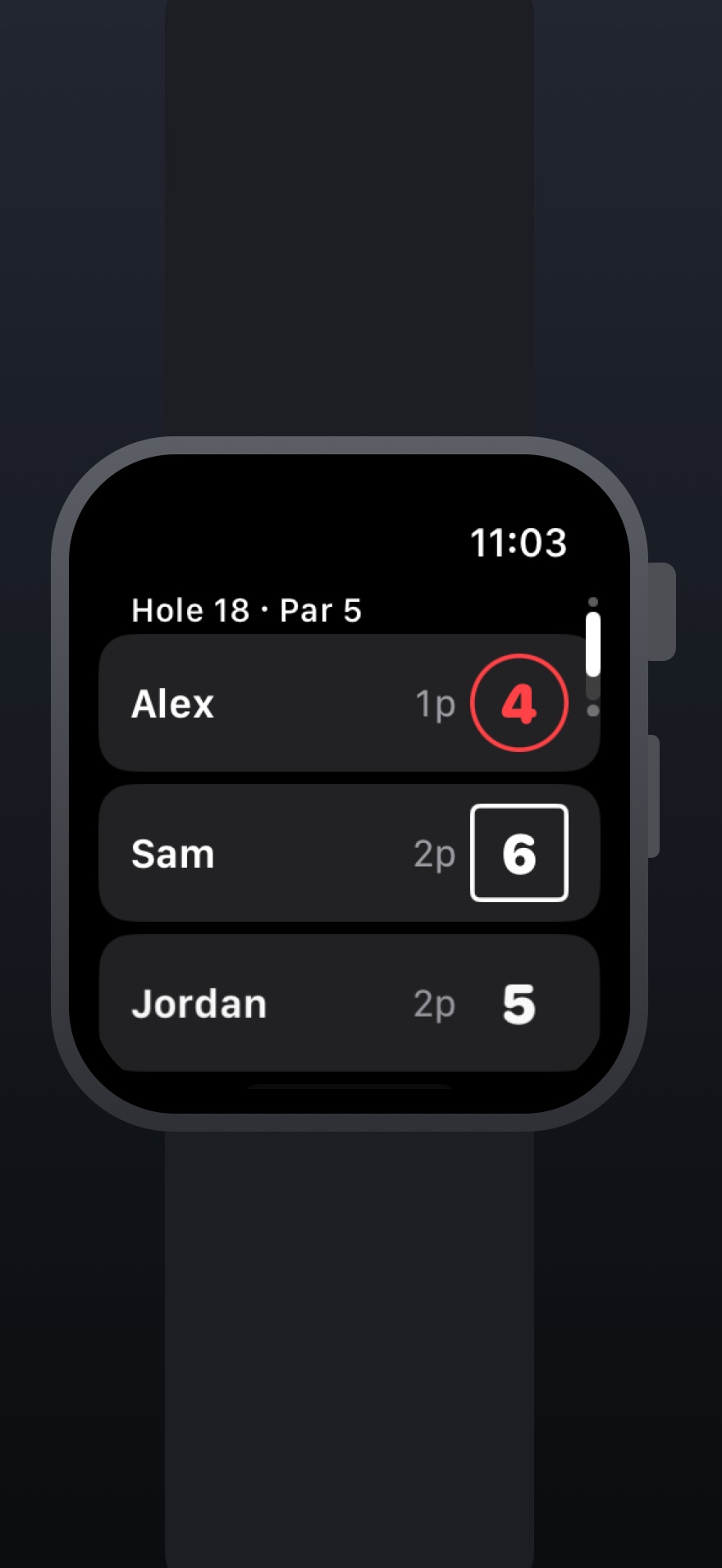
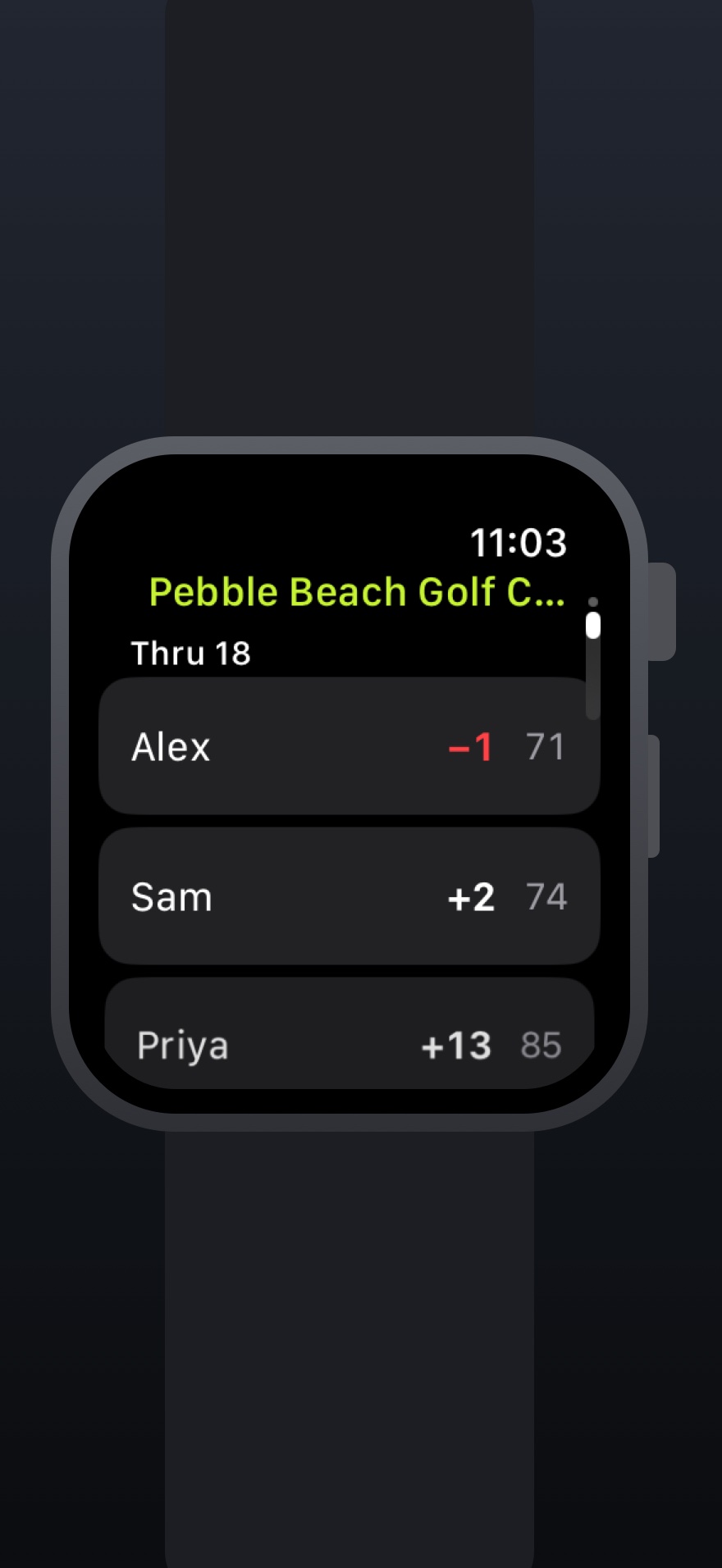
Scores go in on a wheel rather than with plus and minus buttons, strokes on one and putts on the other, for up to four players, on their own screen between holes. The card marks them the way you would with a pencil: a circle round a birdie, two for an eagle, a square round a bogey, two for a double. Each player can play from their own tees, and the card works out who is ahead. There are skins and Bingo-Bango-Bongo too, if the group plays them.
On your wrist
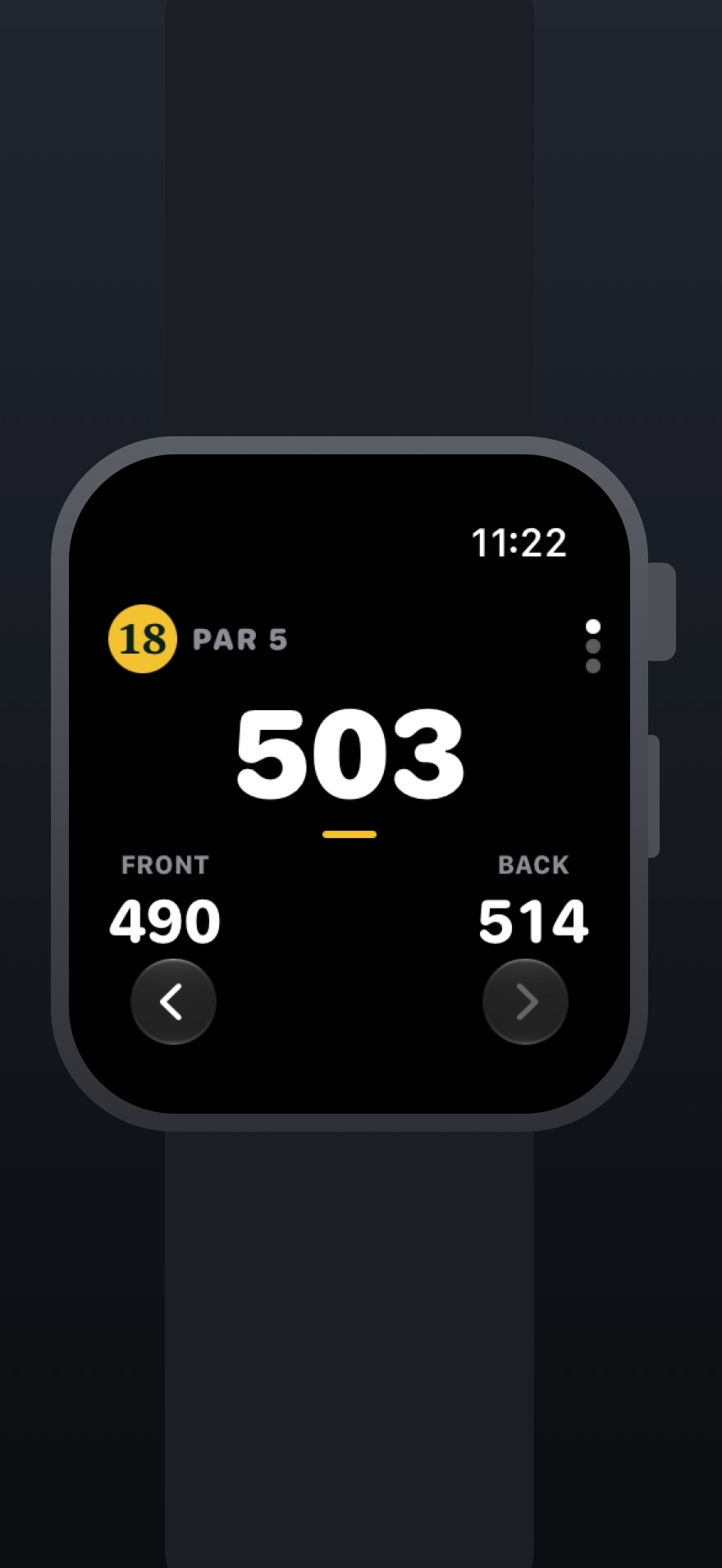
The Apple Watch shows front, middle and back from its own GPS, so the phone can stay in the bag, and it takes scores with the Digital Crown. The two keep one card between them. A watch that spent six holes out of range of the phone catches up the moment they are together again. Each score keeps the newer of the two entries, so nobody has to sort out which device was right.
When the map is wrong, fix it on the spot
Maps of golf courses are made by volunteers, and sometimes a green is missing or a tee is in the wrong place. You can move either one from the hole itself, by tapping the map or by standing on it and pressing a button, and the fix is saved to your copy of the course. A course that is not mapped at all can be made from a photo of its paper scorecard, with the tees and greens placed by hand later.
- Platform
- iPhone and Apple Watch
- Requires
- iOS 18 or later, watchOS 11 or later
- Price
- Free
- Ads
- None
- Purchases
- A tip jar in Settings, and nothing else. The app is free and fully functional; leaving a tip is completely optional and unlocks nothing
- Connection
- Needed to find and download a course. After that the course is on the phone, and a round works without one
- Players
- One to four on one phone, each on their own tees
- Course data
- OpenStreetMap, OpenGolfAPI scorecards, USGS and Geospatial Ontario aerial photos, and Meta and WRI tree canopy data, all openly licensed and credited in Settings
- Data
- Your rounds and courses stay on your phone. No account